

Integrations
Your Agents work inside the apps your business already uses.
Work only counts when it lands in the right place. Integrations let your Agents check a calendar before offering a time, write a new lead into your CRM, or tell your team about an urgent case the moment it opens. Tools that need no account your Chief of Staff can approve for an Agent. Apps that need your account stay with you, under Integrations, and you connect them yourself.
Every tool
1,487 tools your Agents can use
Calendars, CRMs, email, helpdesks, spreadsheets, payments, messaging and more. Connect an account once and your Agents can work in it during and after calls.
Showing 36 of 1,487
0CodeKit
1password
21risk
2chat
44API
7shifts
Ably
Abstract
AbuseIPDB
Abyssale
Accredible certificates
Acculynx
AccuWeather
ActiveCampaign
ActiveMerge
ActiveTrail
Adafruit IO
Addressfinder
Addresszen
Adrapid
Adtraction
Adyntel
Aeroleads
Affinda
Affinity
AgencyZoom
Agent Mail
Agentql
Agenty
Agile CRM
Agiled
Agility CMS
Ahrefs
AI Ark
AI/ML API
AimTell
Calendars
Check real availability in Google Calendar or Outlook before offering a time, then book, move or confirm appointments without double booking.
- 01Check free slots
- 02Book and reschedule
- 03Add customer details to the event
CRMs
Create and update contacts and deals in HubSpot or Salesforce after each call, so your Sales department starts every morning with a clean, complete pipeline.
- 01Create contacts
- 02Log call outcomes
- 03Hand over qualified leads
Email
Send summaries, quotes and follow-ups from your own Gmail or Outlook mailbox, written in the customer's language.
- 01Call summaries
- 02Follow-up emails
- 03Team notifications
Messaging
Send confirmations and reminders to customers, and post alerts to the Slack channels your team watches.
- 01Booking confirmations
- 02Reminders
- 03Team alerts
Help desks
Open a ticket from a support call with the customer's details and a summary of the issue already filled in.
- 01Open tickets
- 02Attach call summaries
- 03Escalate with context
Your own systems
Send call, task and order events to your own software through signed webhooks, so your developers can verify every request truly came from us.
- 01Signed call events
- 02Lead and booking payloads
- 03Retries on failure
On a real call
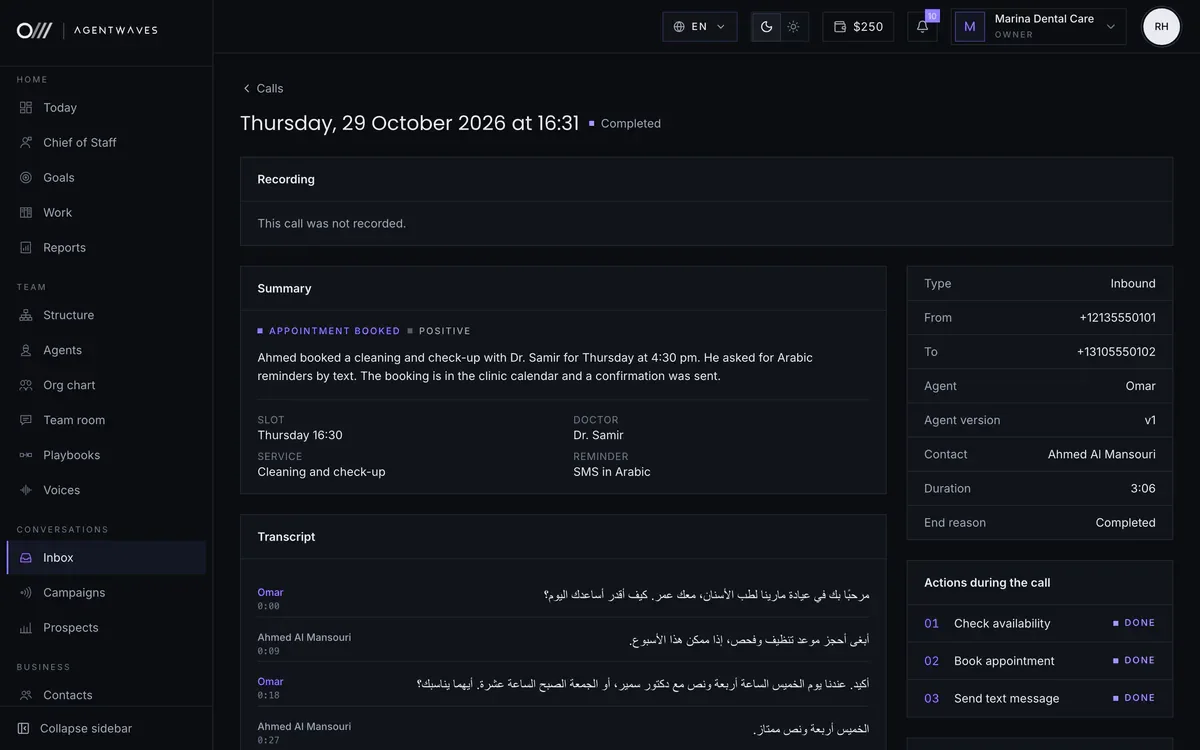
Tools at work while the caller is still on the line
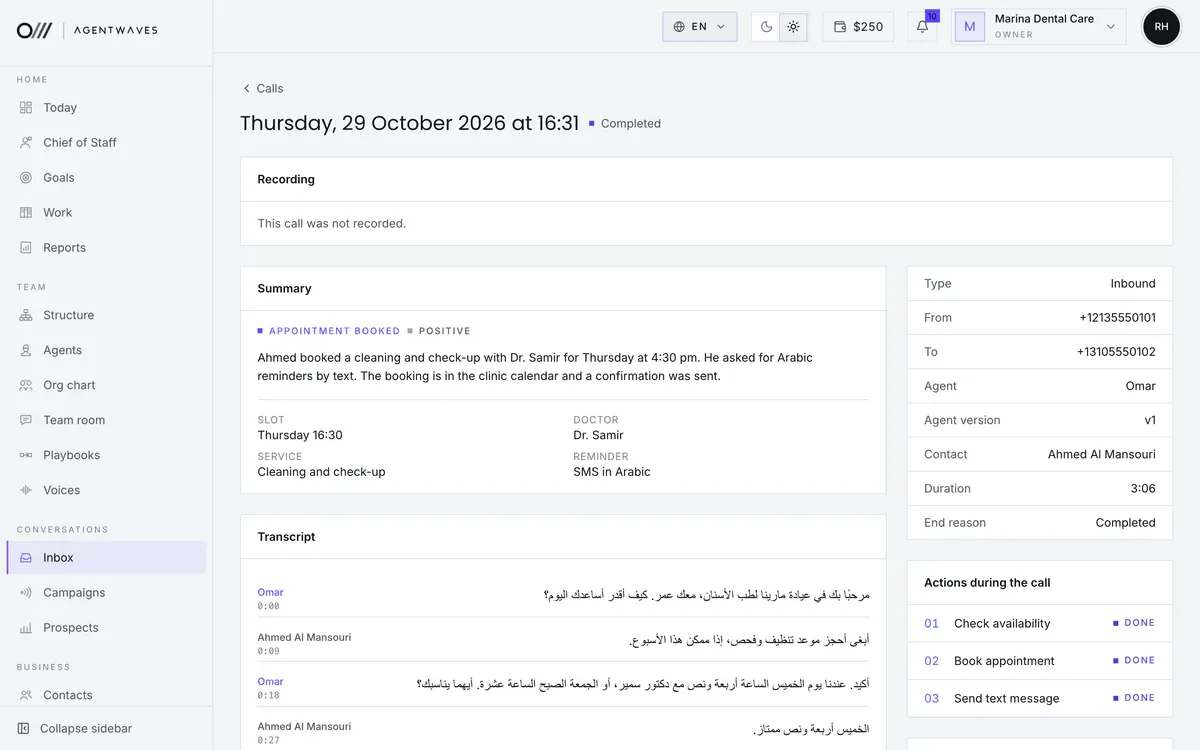
Here an Agent checks the calendar, books the appointment and texts a confirmation, all in one call. Each action is listed on the call so you can see exactly what happened.
- 01Check availability
- 02Book the appointment
- 03Send the confirmation by text
Sample workspace. People, numbers and figures are fictional.
Included with every plan
Useful from day one, before you connect anything.
Much of what your Chief of Staff and your Agents do needs no integration at all.
Call transfer
Hands the caller to a number you choose when they ask for a person, or when the conversation needs one.
Contacts, clients and suppliers
Every caller, chat and email becomes a contact with a short summary, so your Agents always know who they are talking to.
Notes and reports
Each Agent notes every task, and your Chief of Staff sends a daily report and weekly goal progress, counted from real work.
Knowledge from your website
Reads your public pages and the documents you upload, so answers come from your own information.
WhatsApp
Your Agents answer chats, take orders by message and run WhatsApp campaigns, all in your Inbox. Your owner line works on WhatsApp too.
Claude and ChatGPT
Connect AgentWaves to the AI app you use with one sign-in, then ask about calls or order one in plain words.
Text messages
Texts sent to your numbers land on their own page, by sender, beside the Agent each number belongs to.
Tools with no account
Give an Agent tools such as researching a company or looking something up, once your Chief of Staff approves them. They need no account of your own, and each use is paid from your prepaid wallet.
Handled with care
Connections you can trust and revoke.
You approve every connection
Nothing that needs your account is connected until you sign in to the other app yourself and grant access.
Disconnect at any time
Remove a connection under Integrations and your Agents stop using it straight away.
Least access needed
We ask only for the permissions a tool needs to do its job, and we do not keep what we do not use.
Start with the essentials. Connect the rest when you are ready.
Your Chief of Staff is useful from the very first call. Connect your calendar, CRM or mailbox whenever you like.